
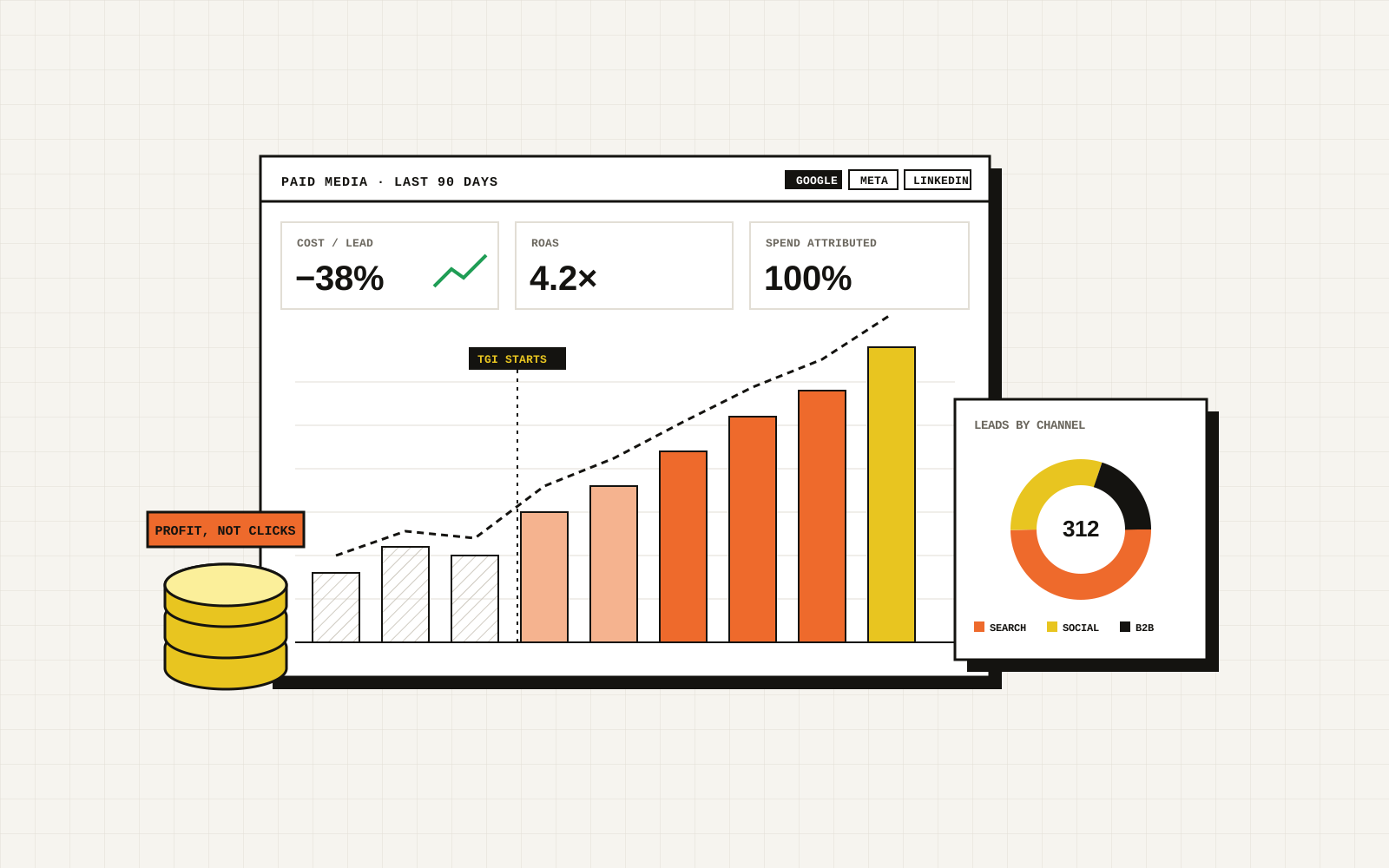
Open Google Ads and Meta Ads Manager on the same day and add up the conversions each one claims. For many businesses the total is higher than the number of customers they actually won. Nobody is necessarily lying on purpose: each platform measures with its own rules, its own attribution window and its own view of the customer journey. But if you set budgets from those numbers, you are steering with a broken compass.
Why platform ROAS overstates results
- Overlapping credit. A buyer who saw a Meta ad, then searched your name and clicked a Google ad, can be counted as a conversion by both.
- Different windows. Platforms count conversions over days or weeks after a click or view, using defaults you may never have checked.
- Wrong conversion events. Many accounts count page views, button clicks or "form started" as conversions. Those are not revenue.
- Modelled conversions. Where tracking is blocked, platforms estimate. Estimates are useful, but they are still estimates.
- Lead quality is invisible. A form fill from a spammer and a form fill from your best-ever client look identical to the ad platform.
The fix: measure the whole path
Think of every sale as a chain: click, lead, qualified lead, appointment, sale, revenue. The ad platform sees the first link. Your CRM sees the rest. Join them up.
1. Capture the source with every lead
Store UTM parameters and the Google click ID (gclid) or Meta click ID (fbclid) in hidden form fields, and save them into the CRM record. Do the same for calls with dynamic call tracking numbers.
2. Define stages in your CRM
Agree what counts as a qualified lead, an appointment and a sale, and update each lead's stage as it progresses. If sales are recorded in a separate system, connect it.
3. Send the results back to the platforms
Both Google Ads and Meta support offline conversions: you upload (or automatically sync) the qualified leads and sales along with the click ID and value. The platforms then optimise bidding toward people who resemble your real buyers, rather than toward the cheapest form fill.
4. Tighten browser-side tracking
Use Google Tag Manager or server-side tagging, enable enhanced conversions in Google Ads and the Conversions API for Meta, and make sure your consent setup is configured correctly. Better signal means better optimisation and fewer modelled guesses.
The report every business owner should ask for
One page, monthly, built from the CRM, not the ad platforms:
- Spend by channel and campaign.
- Leads, qualified leads and sales by channel.
- Cost per qualified lead and cost per sale.
- Revenue and gross profit attributed, with the attribution rule written down.
- Three changes planned for next month.
If your agency cannot produce this, the problem is not the ads. It is the measurement.
Break-even ROAS: the number that actually matters
Platform ROAS is revenue divided by ad spend. It says nothing about margin. The break-even ROAS for your business is one divided by your gross margin:
- At a 50% margin, you break even at a ROAS of 2.0. Anything below that loses money on the first sale.
- At a 25% margin, you break even at 4.0.
- For lead generation, replace revenue with the value of a closed deal, and remember that only a fraction of leads close. A campaign can show a cost per lead you like and still lose money if the leads never become customers.
Knowing your break-even tells you which campaigns to scale and which to cut, even when the platform dashboard looks healthy.
How to send real outcomes back to the platforms
Ad platforms optimise for whatever conversion you tell them about. If that is "form submitted", they find more people who submit forms, not more people who buy. To fix it:
- Capture the click ID. Store the Google click ID (GCLID) or Meta click ID with every lead in your CRM at the moment the form is submitted.
- Record the outcome. When a lead becomes qualified, booked or won, update the CRM stage and the deal value.
- Send it back. Upload offline conversions to Google Ads (or use enhanced conversions for leads) and send events through Meta's Conversions API, using the same event ID as your browser pixel so events are deduplicated rather than counted twice.
- Optimise toward the better event. Once you have enough volume, switch the campaign's goal from leads to qualified leads or booked jobs.
A weekly review in five numbers
Put these side by side every week, from your own CRM rather than the ad platform: spend, leads, booked jobs, closed revenue and gross margin. Then calculate cost per booked job and revenue per dollar spent. If the platform says ROAS is 6 and your CRM says 2.5, believe the CRM, find the gap, and fix the tracking before you change the budget.
Speed matters here too: the faster you respond to a lead, the better those downstream numbers look. See our guide to speed to lead. We set up this tracking as part of our paid media and CRM work.
A note on attribution models
No attribution model is perfectly true. Last-click undervalues awareness; data-driven models need volume. Pick a sensible model, write it down, keep it stable so months are comparable, and periodically test channels by pausing them in one area and watching what happens to total sales. That kind of simple holdout test is often more honest than any dashboard.
Frequently asked questions
Why is platform ROAS higher than my real return?
Platforms credit themselves with the conversions they can see, including view-through and modelled conversions, and they use gross order value rather than profit. They also cannot see what happens offline, such as phone sales or closed deals, unless you send that data back.
What is a good ROAS?
It depends on your margin. Break-even ROAS is one divided by your gross margin, so a business with a 40% margin breaks even at 2.5. A good ROAS is one that leaves profit after margin, overhead and the cost of closing the sale.
What are offline conversions?
Offline conversions are sales or deal stages that happen outside the website, such as a phone booking or a signed contract, that you upload or send back to Google Ads or Meta so the platform can learn from real outcomes.
Do I need server-side tracking?
Not always, but it helps. Browser tracking loses data to ad blockers and browser privacy limits. Server-side tracking, such as Meta's Conversions API, sends events directly from your server and usually recovers some of that data, provided you deduplicate events with the browser pixel.