
Email marketing & CRM
Turn every lead into a relationship.
CRM setup, lead nurture and email campaigns that turn first clicks into booked, repeat revenue.
- HubSpot & Zoho
- Lead nurture
- Email campaigns
- Deliverability
- Revenue reporting
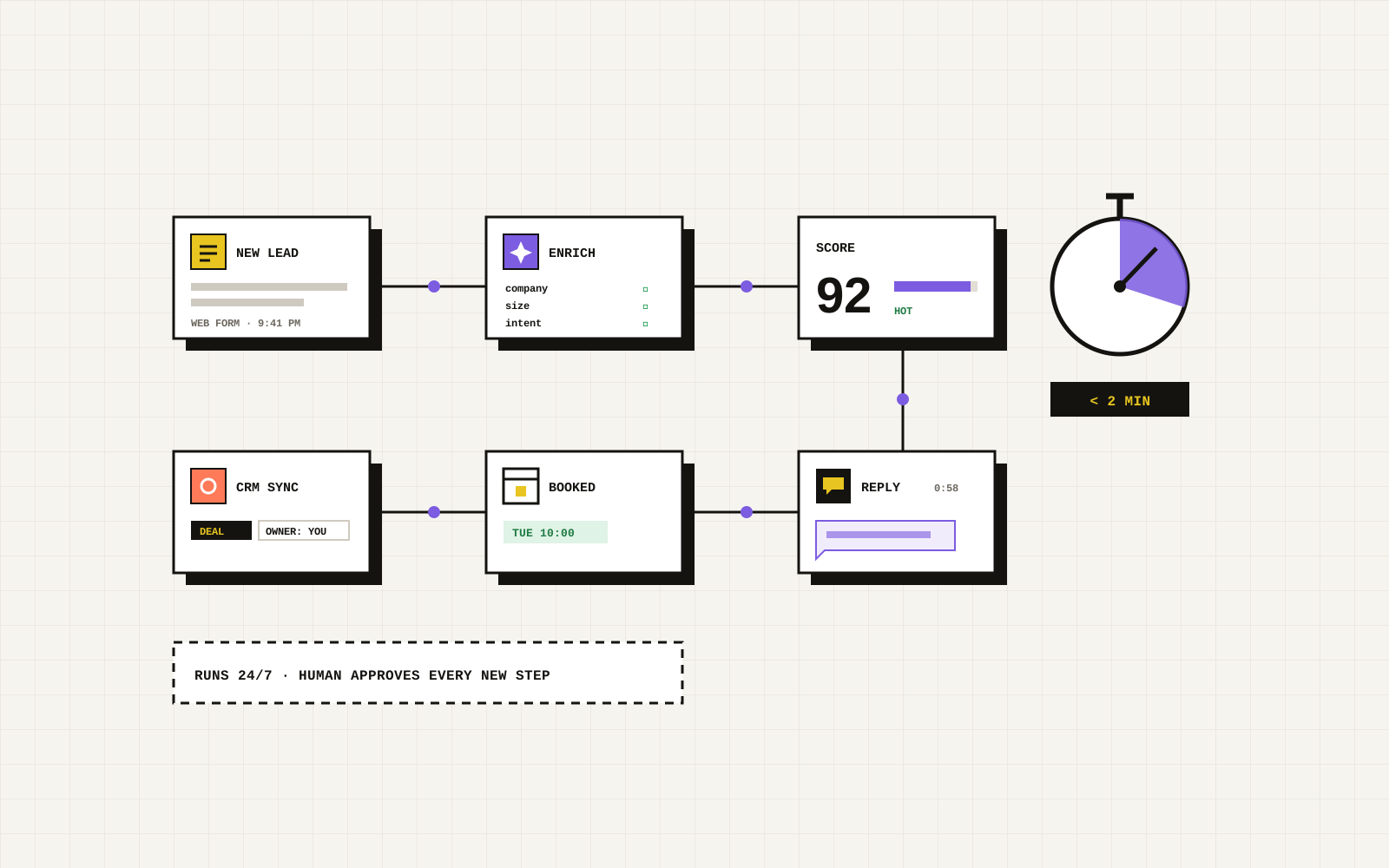
Most revenue is in the follow-up. Most businesses skip it.
A clean CRM and a few well-built automations do more for revenue than another ad campaign. Four principles guide every setup.
- 01
One source of truth
Every lead, call and sale in one CRM, so nothing lives in someone's inbox.
- 02
Automate the routine
Instant replies, reminders and nurture sequences that run without anyone remembering.
- 03
Useful, not noisy
Emails people are glad to get: timely, relevant and easy to act on.
- 04
Measured to revenue
Pipeline stages and reports that show which emails and sources produce sales.
From first click to repeat customer.
Email and CRM connect every stage your other marketing starts.
- CaptureForms, calls, chat and ads flowing into one CRM automatically.
- NurtureSequences that answer questions and book the next step.
- RetainNewsletters, reminders and offers that bring customers back.
The four layers of a working CRM.
Each one makes the next more valuable.
Data foundation
Clean contacts, properties, pipelines and lead sources set up the right way.
Automation
Instant replies, routing, task reminders and follow-up sequences.
Campaigns
Newsletters, launches, seasonal offers and win-back emails.
Reporting
Pipeline, revenue by source and email performance in one dashboard.
Email & CRM services in Miami.
Setup, automation and campaigns on the platforms you already use, or the right one if you have none.
CRM setup
- HubSpot, Zoho or GoHighLevel setup
- Pipelines & deal stages
- Lead source tracking
- Data clean-up & migration
Automation
- Instant lead replies
- Lead routing & task reminders
- Nurture & follow-up sequences
- Appointment reminders
Email campaigns
- Newsletter design & writing
- Launch & promotion emails
- Segmentation
- Mailchimp & Klaviyo
Deliverability & reporting
- SPF, DKIM & DMARC setup
- List hygiene
- Revenue-by-source dashboards
- Monthly performance review
Six steps. No surprises.
You see and sign off each stage before the next one starts, so changes happen early, while they are still cheap.
Review
We map how leads arrive today, where they get lost and what your current tools can do.
Design
Pipelines, properties and automations planned around how you actually sell.
Build
CRM configured, forms and calls connected, data migrated and cleaned.
Automate
First replies, routing, reminders and nurture sequences switched on.
Launch campaigns
Templates, segments and a sending calendar your team can keep up.
Measure & improve
Monthly reporting on pipeline, revenue by source and email results.
Launch is the starting line.
You leave with something your team can run on its own, plus a short list of what to improve next.
- Team trainingRecorded walkthroughs so your team uses the CRM properly.
- Automation monitoringBroken workflows caught before leads go cold.
- Deliverability checksDomain authentication and inbox placement kept healthy.
- Campaign calendarPlanned emails tied to your seasons and offers.
- Data hygieneDuplicates merged and bad addresses cleaned regularly.
- Quarterly reviewWhat drove revenue and what to automate next.
Email & CRM questions, answered.
Straight answers to the questions we hear most.
Which CRM should we use?
It depends on your team size, sales process and budget. HubSpot suits most growing service businesses; we also work with Zoho, GoHighLevel and others, and we will tell you honestly if your current tool is enough.
Can you migrate our existing contacts?
Yes. We export, clean, de-duplicate and import your contacts and history, and map old fields to the new setup so nothing important is lost.
Will our emails go to spam?
We set up SPF, DKIM and DMARC on your domain, warm up sending where needed and keep lists clean, which are the main factors in inbox placement.
How often should we email our list?
Often enough to stay useful and remembered, rarely enough that every email earns its place. For most service businesses that is one or two newsletters a month plus automated, triggered emails.
Do we own the CRM and the data?
Yes. Accounts are set up in your name and you keep full ownership of your contacts, data and automations.
Can the CRM connect to our ads and website?
Yes. Forms, calls and ad leads flow in automatically, and qualified leads and sales can be sent back to Google and Meta so your ads optimise for real revenue.
Even stronger together.
Each service lifts the others. These three pair best with this one.
Next step
Stop losing leads after the first click.
Request a free CRM and email review. We will map where leads get lost today and show you the automations worth setting up first.
- A human reply within 1 business day
- A written plan with fixed pricing
- No obligation, no pressure